Managing dozens of online credentials has become an unavoidable reality of modern digital life. For most internet users, the built-in password-saving prompts offered by web browsers like Google Chrome, Apple Safari, and Mozilla Firefox represent the easiest line of defense. With a single click, your credentials are saved, encrypted, and automatically filled upon your next visit.
However, convenient auto-fill mechanics often obscure fundamental security boundaries. While browser-based vaults offer basic convenience for single-device workflows, dedicated password managers – such as Bitwarden, 1Password, and KeePass – operate on fundamentally different architectural principles. Evaluating whether to rely on a browser vault or upgrade to a dedicated manager requires weighing local operating system security against end-to-end zero-knowledge encryption, cross-platform compatibility, and threat protection against local infostealer malware.
Architectural differences in encryption and vault isolation
The most significant distinction between browser password storage and dedicated password managers lies in their encryption boundaries and how they isolate your vault from local system threats.
Browser vault architecture
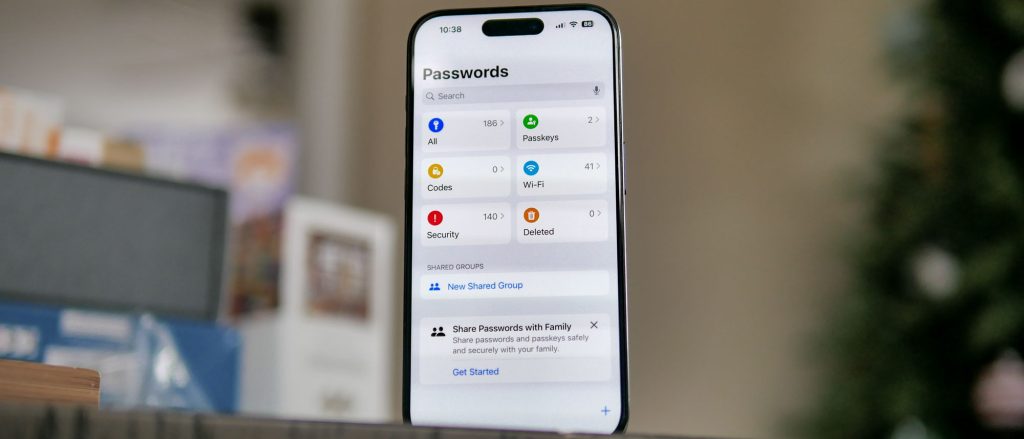
Browsers do not manage encryption completely independently; instead, they outsource cryptographic protection to the underlying operating system. For example, Google Chrome on Windows utilizes the Data Protection API (DPAPI), while Safari relies on macOS Keychain. Your credentials are encrypted using keys tied directly to your OS user account.
While this protects your passwords if your physical device is stolen while powered off, it creates a major vulnerability when your computer is unlocked. Because the browser vault automatically decrypts credentials during active user sessions, local infostealer malware (such as RedLine, Raccoon, or Vidar) running silently in the background can bypass OS protections. Infostealers specifically target browser database files (like Chrome’s Login Data SQLite file), extracting saved usernames, URLs, and unencrypted passwords in milliseconds.
Dedicated manager architecture
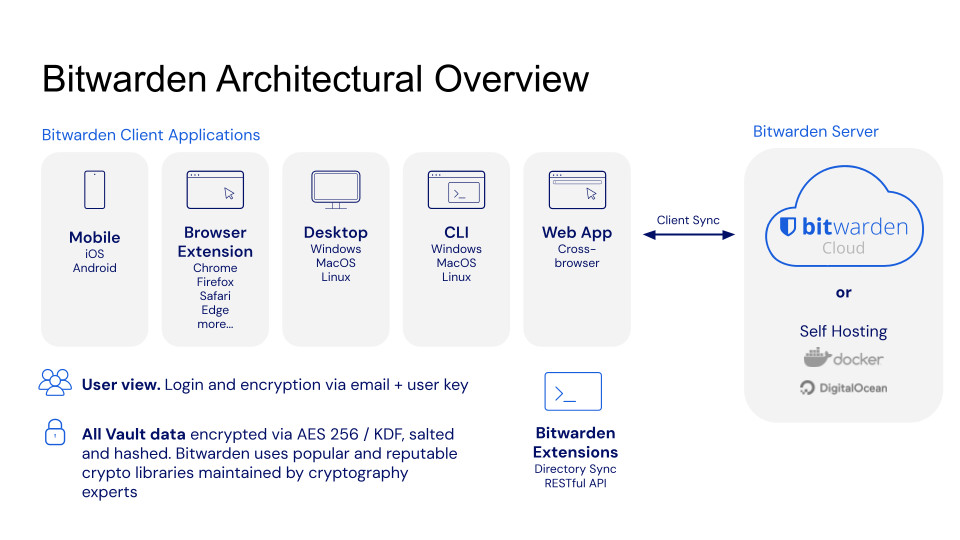
Dedicated password managers operate on a strict Zero-Knowledge architecture. Your vault is encrypted locally using a Master Password that is never transmitted to or stored on external servers. The master key is derived locally using heavy hashing algorithms (such as Argon2id or PBKDF2).
Furthermore, dedicated managers exist in an isolated process space. Even if your browser is compromised or running malicious extensions, a dedicated manager remains locked behind its own master key and supports isolated multi-factor authentication (2FA) via hardware security keys (YubiKey) or time-based one-time passwords (TOTP).
Technical feature matrix: Browser vaults vs. dedicated managers
To evaluate which credential storage system aligns with your threat model, review this technical feature comparison:
| Functional feature | Built-in browser vault (Chrome/Safari/Firefox) | Dedicated password manager (Bitwarden/1Password) | Security & usability impact |
| Encryption Model | OS-level keychains (DPAPI / macOS Keychain). | End-to-end Zero-Knowledge (Argon2id / AES-256). | Dedicated managers prevent server-side and local infostealer exposure. |
| Cross-Platform Access | Locked to specific browser ecosystems or OS environments. | Native apps across Windows, Mac, Linux, iOS, Android, and all browsers. | Eliminates manual re-entry when switching between different devices and browsers. |
| Infostealer Resistance | Low. Unlocked OS sessions leave browser SQLite databases exposed. | High. Vault remains encrypted in memory until master key is explicitly entered. | Protects credentials against silent background malware harvesting. |
| Credential Sharing | Limited or non-existent (requires vendor ecosystem lock-in). | Encrypted vaults for families, teams, and temporary secure links. | Enables safe sharing of streaming, Wi-Fi, or corporate credentials without plain text. |
| Vault 2FA Protection | Tied to browser account login (no standalone vault 2FA). | Independent 2FA support (FIDO2 WebAuthn, YubiKey, TOTP). | Requires secondary hardware or app verification even if master password leaks. |
Practical limitations in daily workflows and account sharing
Beyond raw cryptographic boundaries, daily operational friction frequently forces users to abandon browser-based storage.
The multi-browser and cross-device fragmentation trap
Modern workflows rarely happen on a single browser. A typical user might rely on Google Chrome on a Windows desktop at home, Safari on an iPhone, and Firefox or Brave on a corporate laptop.
Browser password vaults create artificial data silos. Passwords saved in Chrome do not natively populate in Safari or Firefox without manual export procedures or constant background syncing software. This fragmentation leads to duplicate accounts, outdated entries, and the hazardous habit of reverting to weak, memorable passwords when auto-fill fails on a secondary device.
Secure credential sharing and emergency account recovery
Real-world password management frequently requires sharing credentials with family members or colleagues—such as home Wi-Fi passwords, streaming accounts, or utility portals.
Browser vaults provide no secure, encrypted mechanism to share individual entries across different user accounts. Users routinely resort to sending unencrypted credentials via SMS, email, or messaging apps. Dedicated password managers solve this by offering encrypted organization vaults where credentials can be shared, updated, or revoked centrally. Additionally, dedicated tools provide digital inheritance and emergency access features, allowing trusted contacts to request vault access if a user becomes incapacitated.
Migration strategies and CSV export security
Upgrading from a browser password vault to a dedicated manager is a straightforward process, but it involves a critical security window during file export.
Safe CSV export and sanitization protocols
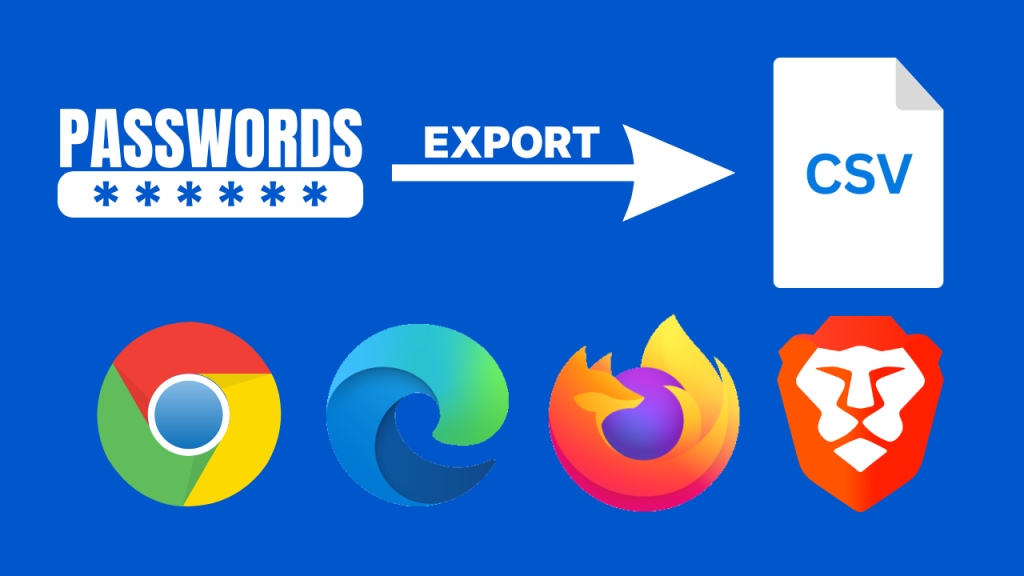
All major browsers (Chrome, Firefox, Safari, Edge) allow users to export their saved credential database as a plain-text .csv file.
While this enables seamless one-click importing into managers like Bitwarden or 1Password, the exported .csv file contains every username, URL, and password in completely unencrypted text. If left in your Downloads folder, any background script or local user can read your entire digital identity.
To execute a safe migration:
- Export the .csv file from your browser settings.
- Immediately import the file into your new dedicated password manager.
- Delete the local .csv file and permanently erase it using a file shredding tool or by immediately emptying your system Recycle Bin/Trash.
- Clear the saved passwords inside your browser vault to prevent redundant storage.
Public computer risks and browser profile sync
Saving credentials in a browser vault on a public, shared, or hotel computer poses extreme security risks. If you sign into your Google or Apple profile on a public terminal and enable sync, your entire password vault downloads to that local drive. Even if you log out of your web session, lingering browser profile caches or active background syncs can leave your credentials accessible to the next user. When using shared hardware, rely strictly on a mobile dedicated manager app to view passwords visually and enter them manually.
Frequently asked questions about password tool selection
Can browser password managers protect against phishing websites?
Yes, both browser vaults and dedicated password managers provide strong basic protection against phishing. Because auto-fill algorithms strictly match the exact domain URL in the browser address bar, neither tool will auto-fill credentials on a fake phishing domain (e.g., paypa1.com instead of paypal.com).
What happens if I forget my master password in a dedicated password manager?
Due to Zero-Knowledge architecture, the service provider cannot reset your master password or recover your data because they do not hold your encryption key. If you lose your master password and your emergency recovery key (a multi-word code generated during setup), your vault data is permanently lost.
Is built-in password generation in Chrome or Safari strong enough?
Yes, the random password generators built into Chrome and Safari generate cryptographically strong, high-entropy strings. However, dedicated managers offer superior customization, allowing you to specify exact character lengths, toggle special symbols, or generate pronounceable passphrases for systems that require manual typing.